
appearance. Set it once on BillingProvider for all components inside, or on one component. No Tailwind or extra CSS is needed. Requires @nozle-js/react 0.11.0.
You can also pick the look in the dashboard and save it for your organization: every component then uses it without any code. See Saved appearance.
Themes
- Light
- Dark
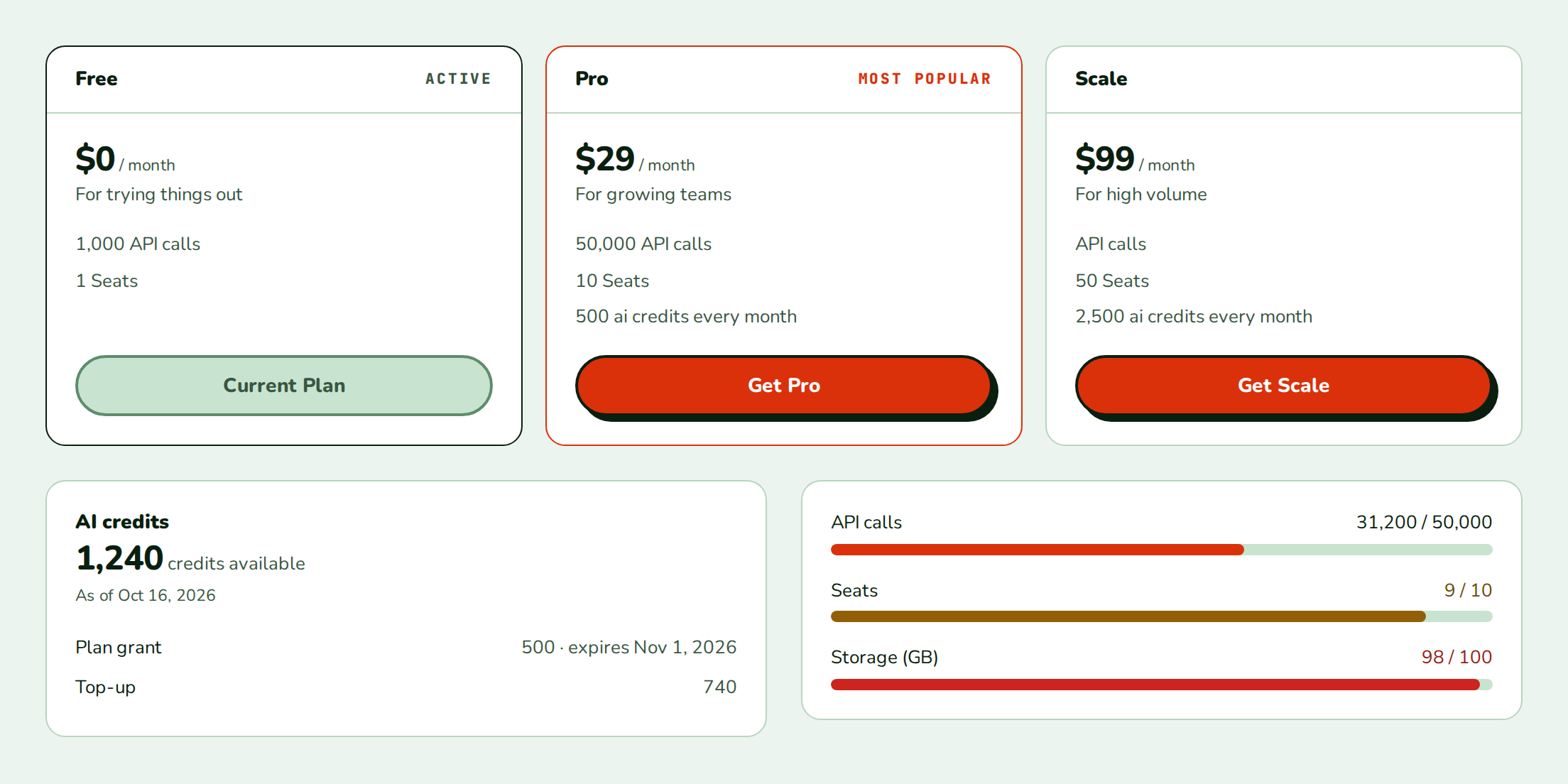
- Nozle
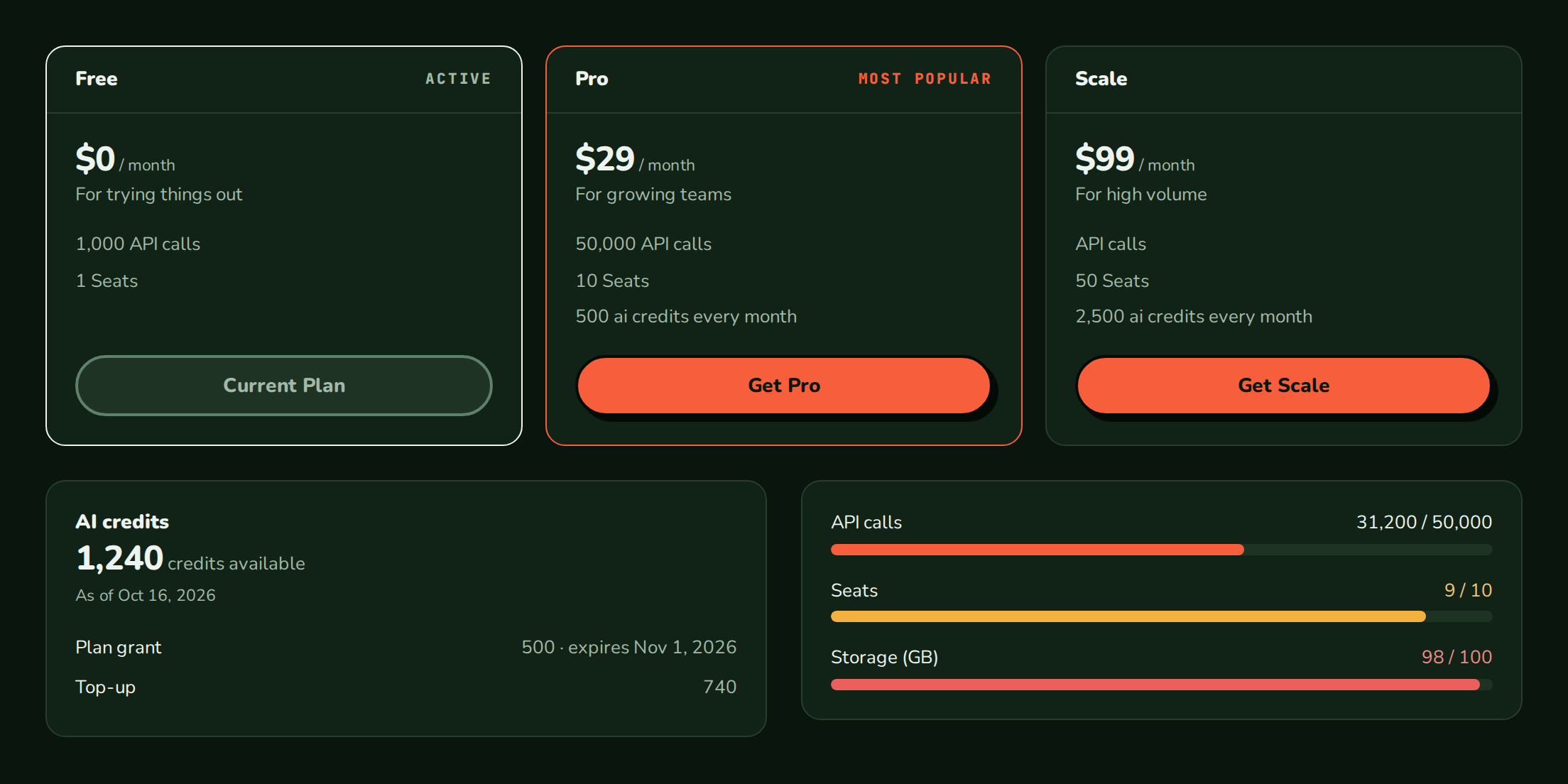
- Nozle Dark
- Minimal
- Neobrutal
The default. You get it without any 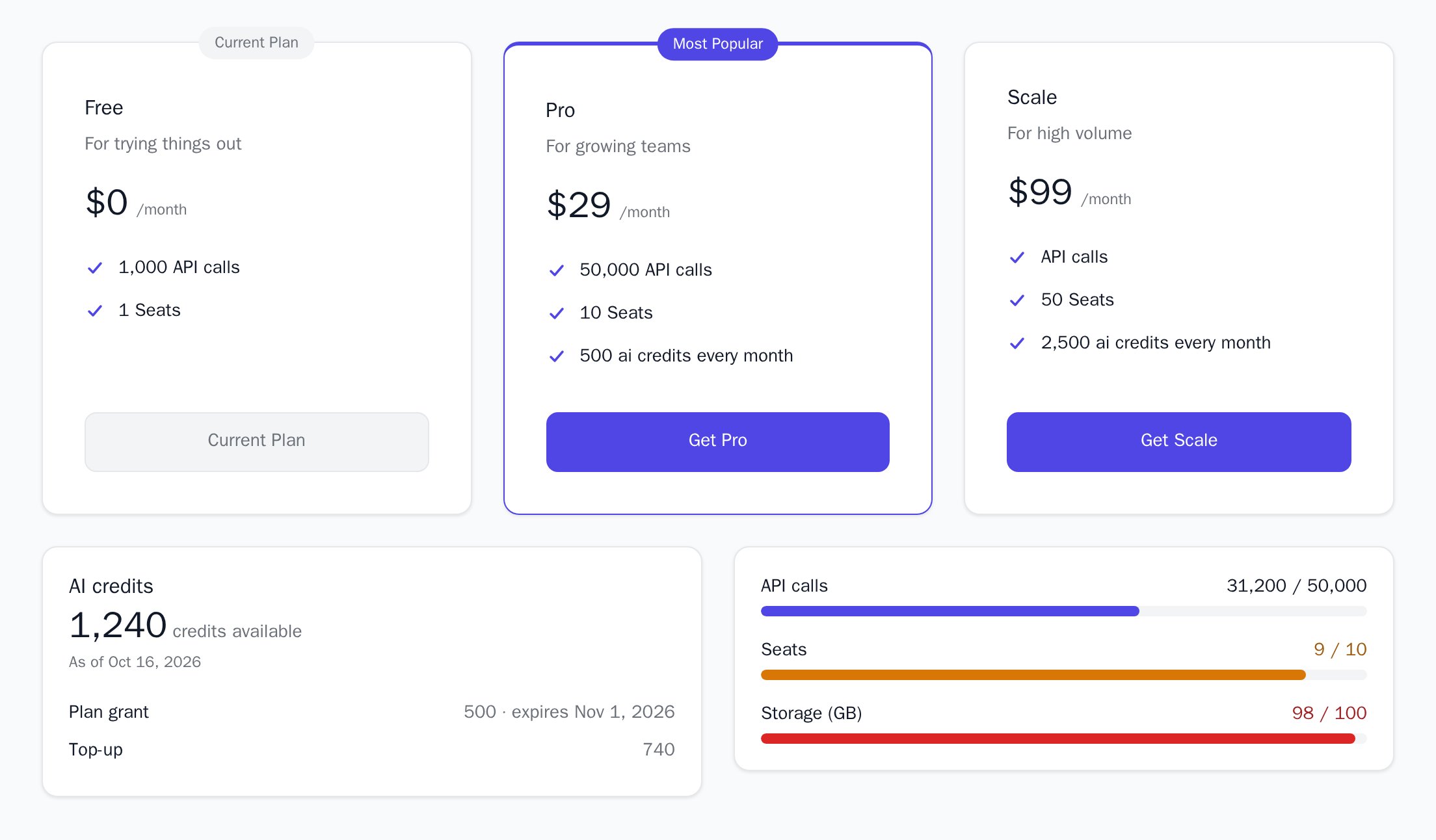
appearance.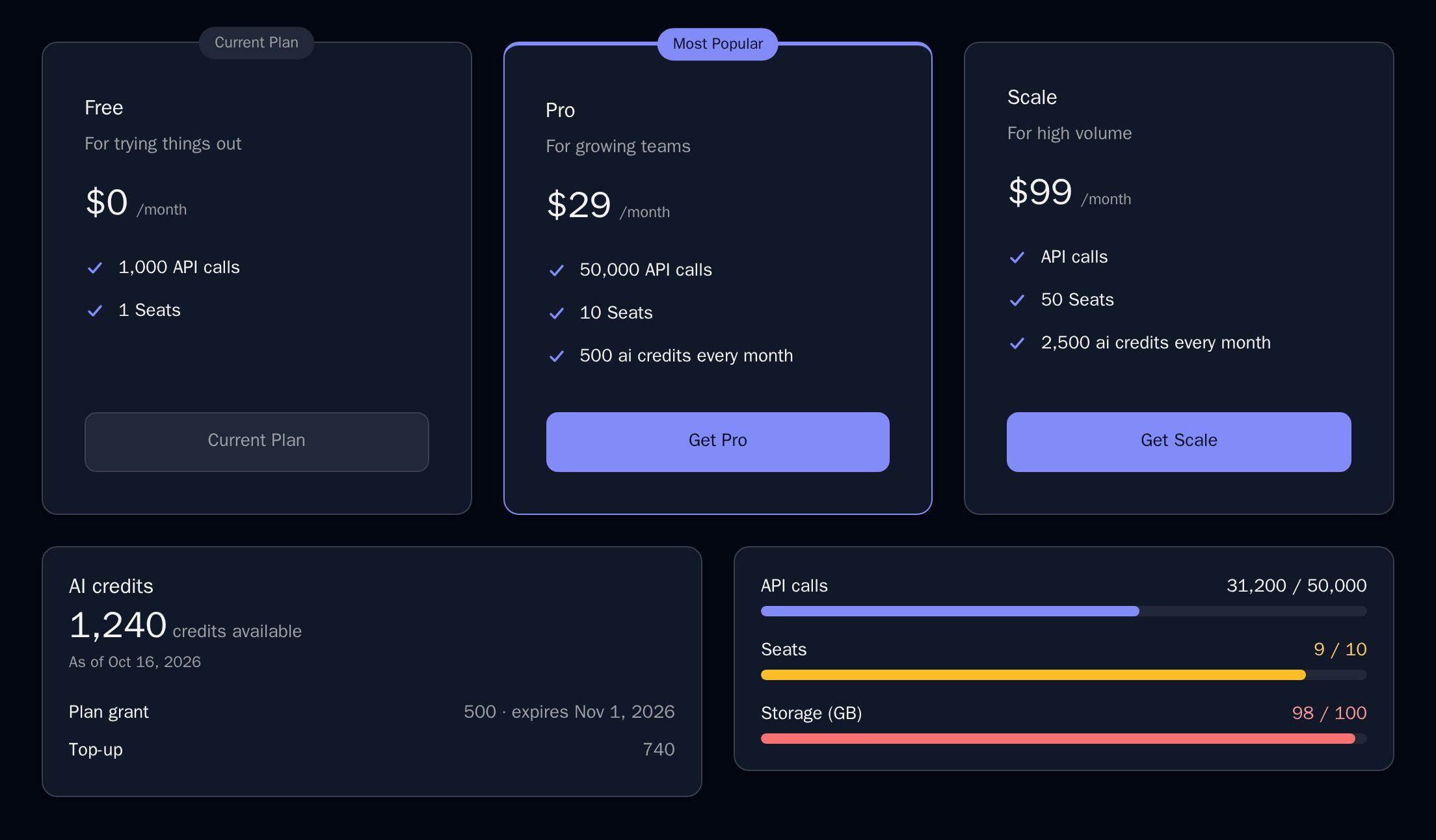
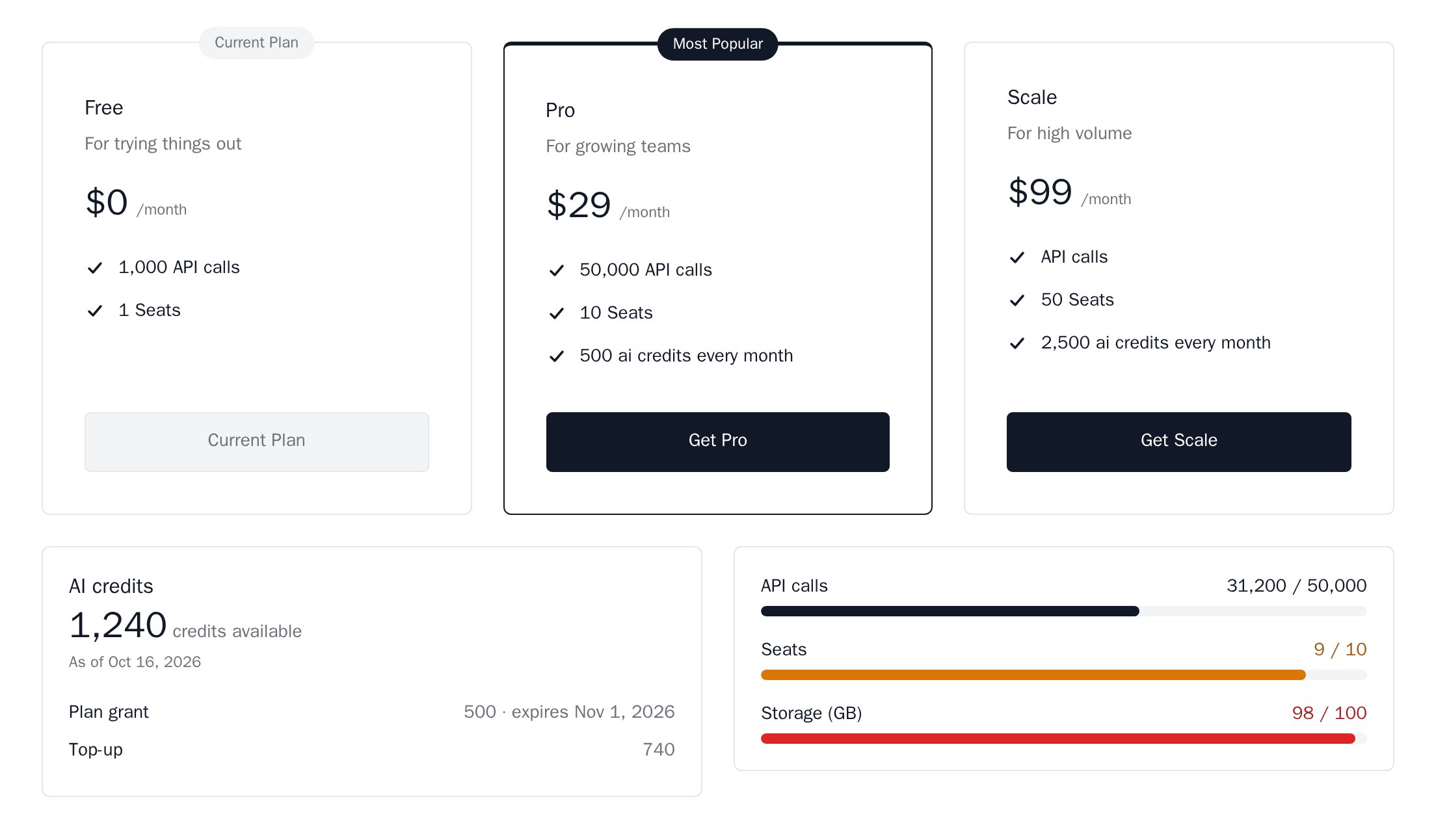
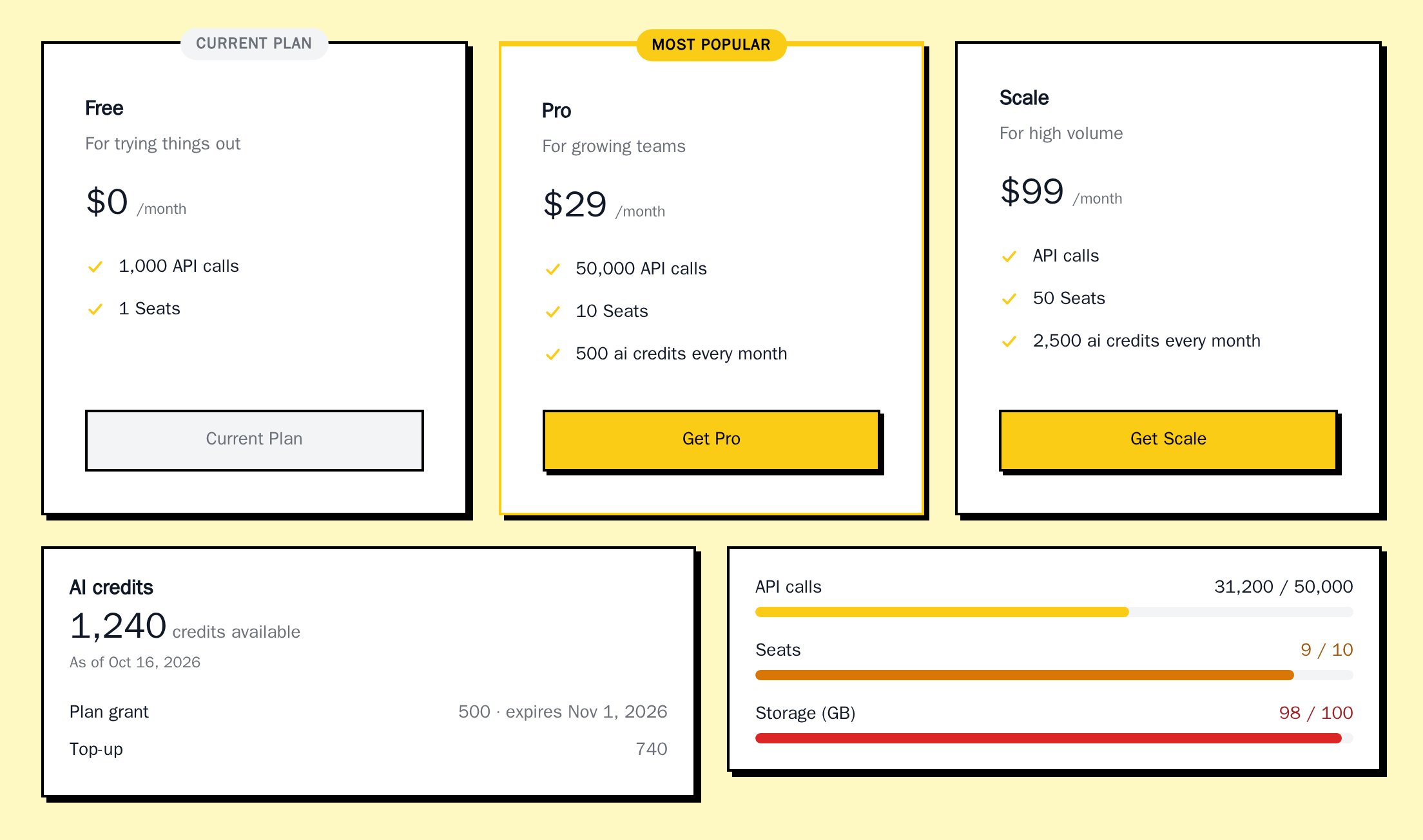
variables (full list below):
Saved appearance
Requires@nozle-js/react 0.13.0.
In the dashboard, open Developers > Customize SDK, pick a theme, colours and plan card options, and select Save changes. Nozle saves the appearance for your organization, next to the plan card content. Every SDK component in your app picks it up automatically, with no code. The components read it from the plan catalog request they already make (meta.sdk_appearance in GET /api/v1/plans), with your publishable key.
The page has two tabs:
- Global settings are saved at the root of the SDK and apply to every component: theme, “Powered by Nozle”, button, surface, text and status colours, and radius. The tab also shows the
BillingProvidercode to paste at the root of your app if you prefer to set the same appearance in code. It has no preview, because it is not tied to one component. - Component settings change one component only. Pick a component in the Component dropdown to see it as it would look in your app, with live data from your organization where available and sample data otherwise. The panel lists only the settings that component reads (a usage meter has an accent colour but no buttons), and the plan card layout and the highlighted plan appear on the pricing table and plan card. A field left empty follows the global settings, and the placeholder shows the global value. A field you set is marked Set here. Use global removes the component’s own settings.
What is saved
Fonts, shadows,
elements, enterpriseEmail and any CSS are not saved. Set them in code. The saved object is at most 8 KB. Anything outside this list, or a value in the wrong format, is rejected with 422.
Precedence
From lowest to highest: the saved global appearance, the appearance saved for that component,appearance on BillingProvider, appearance on the component in code. A component rendered inside another, such as a UsageMeter in a UsageDashboard, uses its own saved settings. A theme set in code replaces the values that theme defines; saved values the code theme does not define stay.
For example, you saved the nozle theme and a colorHighlight of #16a34a. In code you set the minimal theme:
minimal’s, and the highlight colour stays #16a34a, because minimal does not define it.
Turn it off
savedAppearance={false}, the components ignore the saved appearance and use only your code.
Without a saved appearance, nothing is applied, and --nozle-* CSS variables you set on :root keep working.
Components that only show data, such as UsageMeter, make one cached request for the plan catalog through the provider. A page with several components makes one request per BillingProvider.
Highlighted plan
highlightPlan on PricingTable marks one plan: its border and its button take the highlight colour (colorHighlight, by default the primary colour), with the label from highlightLabel (default “Most Popular”; null for none). highlightStyle picks how the card stands out. The tabs follow the theme you picked above:
- Light
- Dark
- Nozle
- Nozle Dark
- Minimal
- Neobrutal
Outline (default):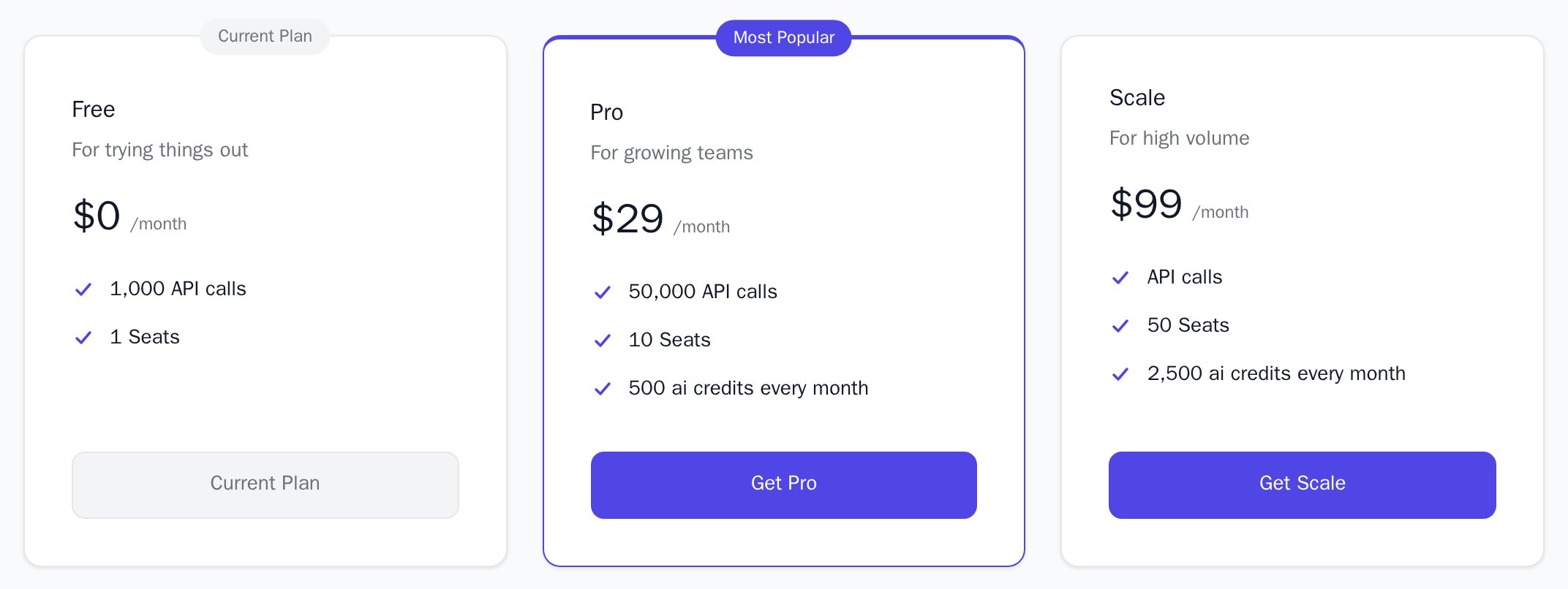
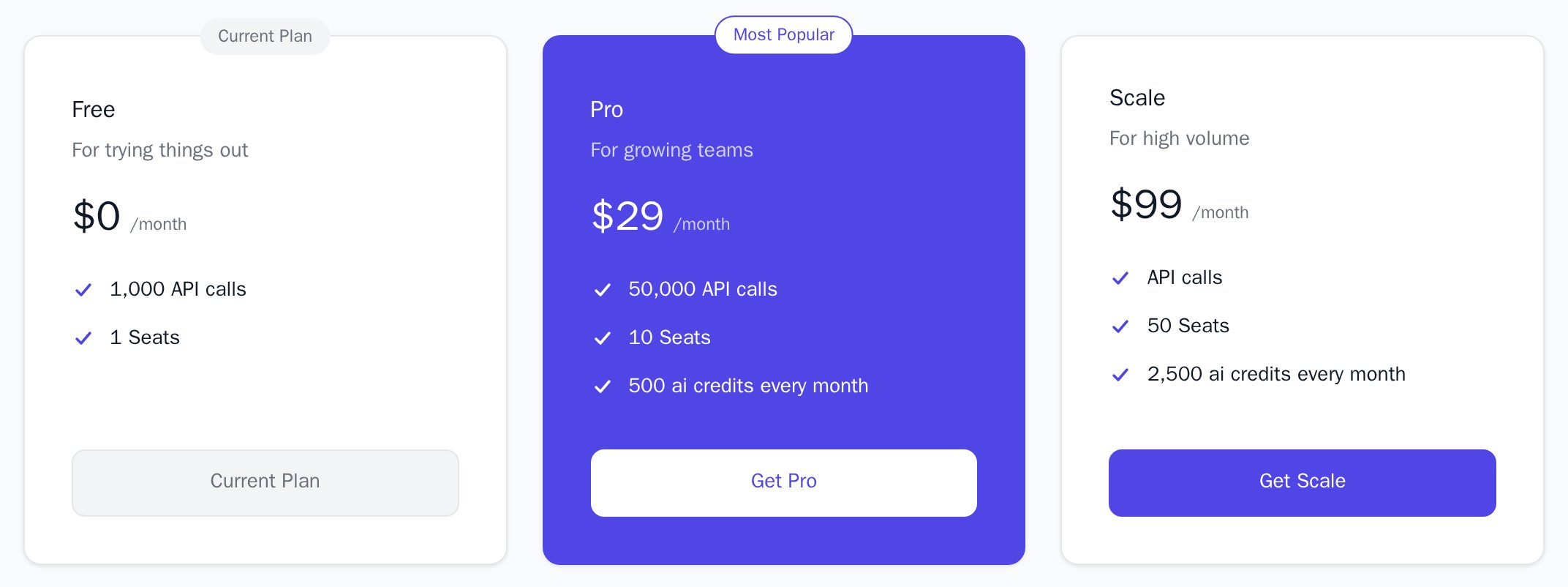
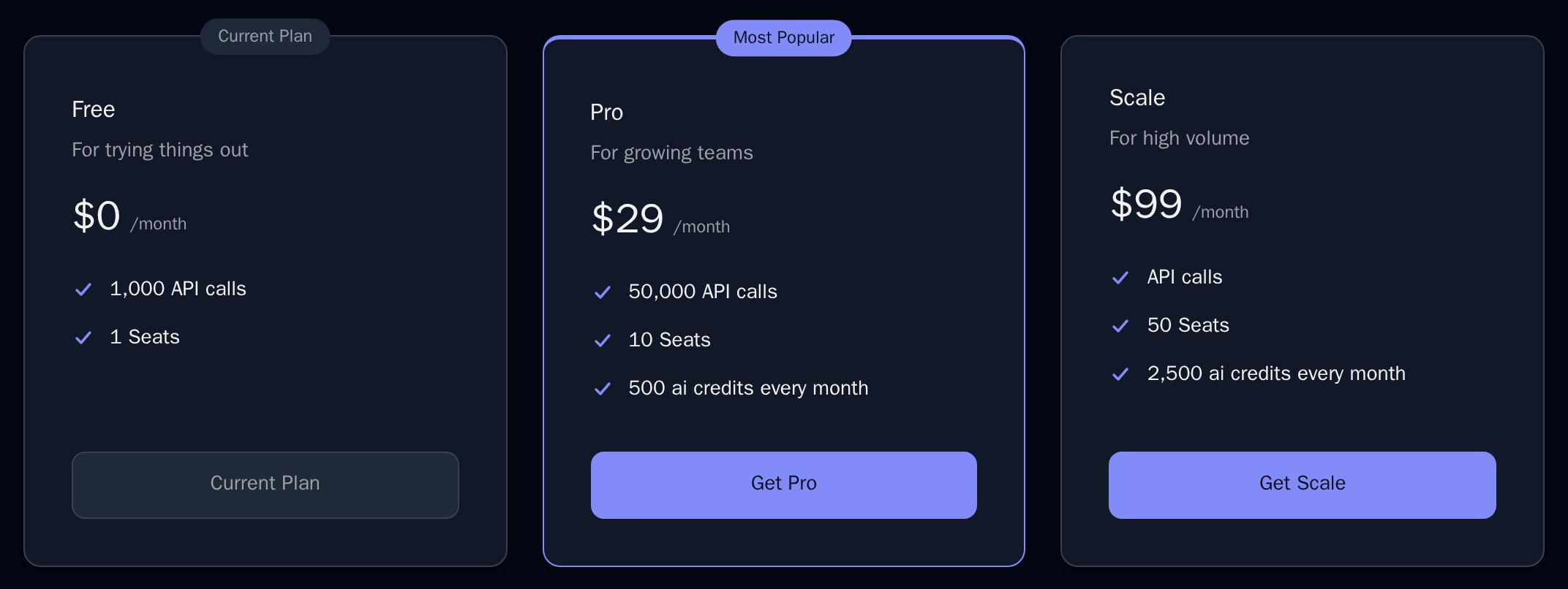
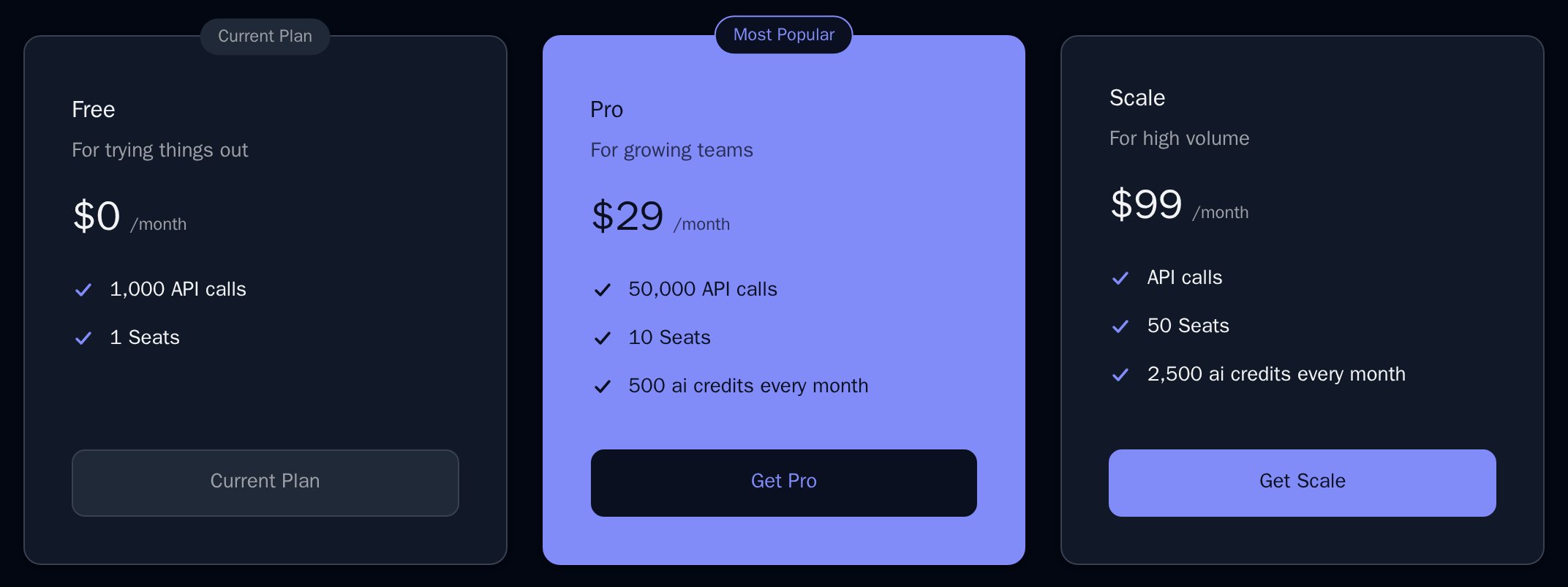
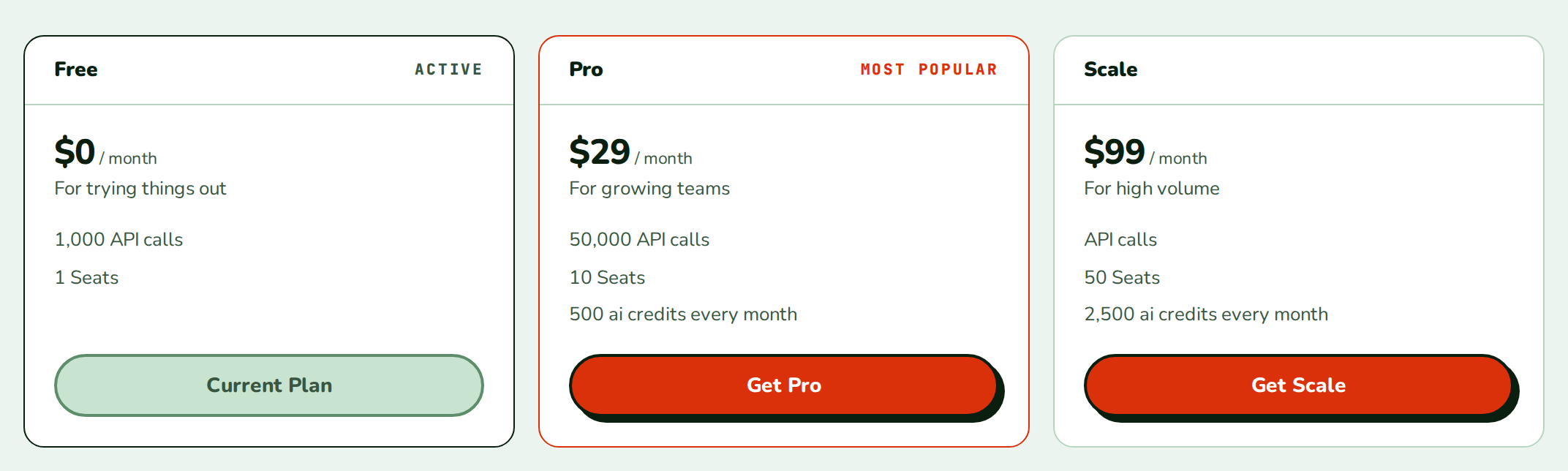
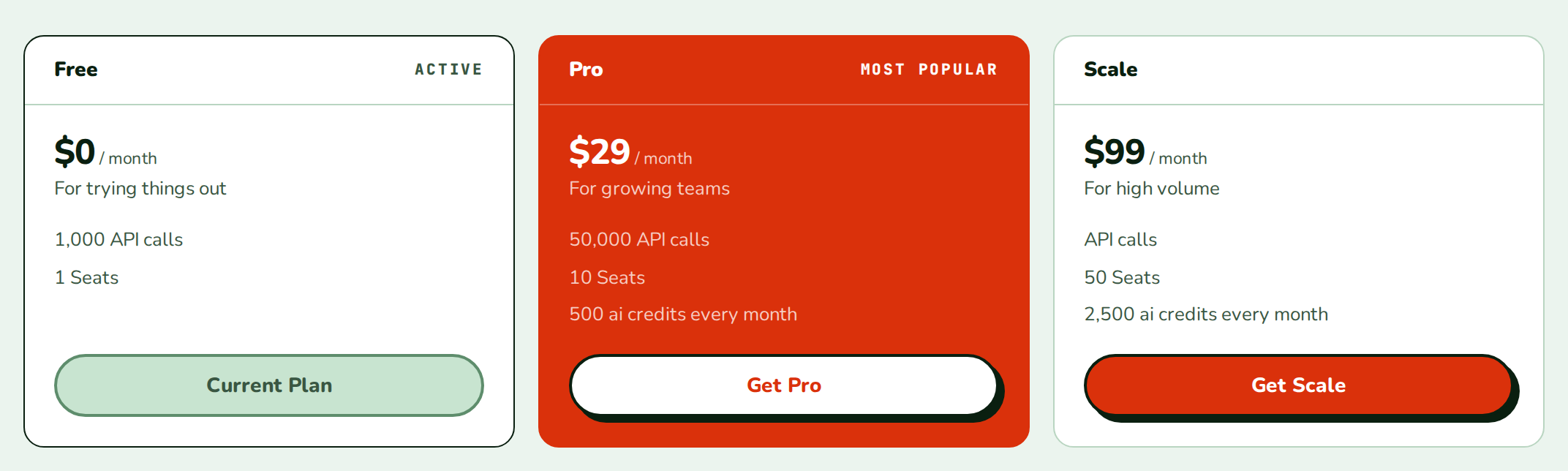
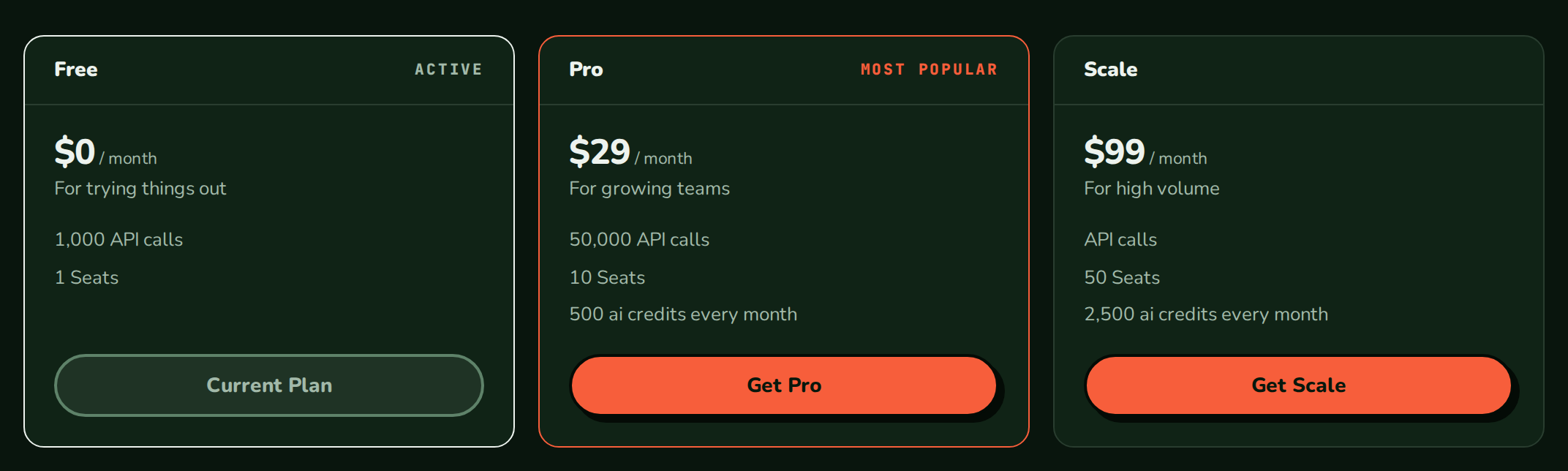
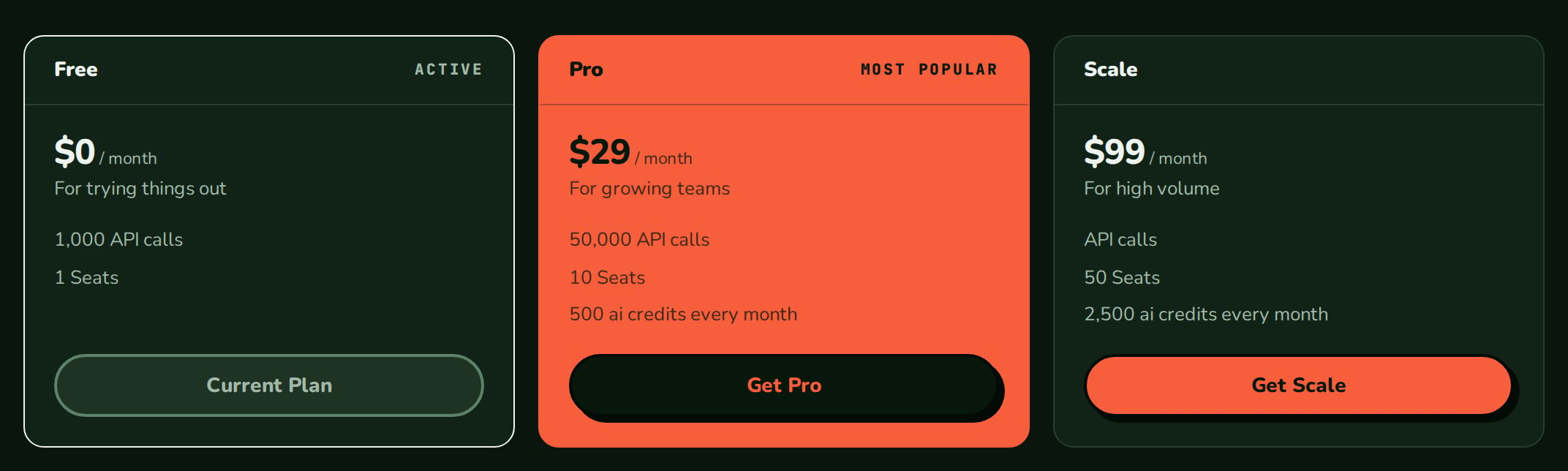
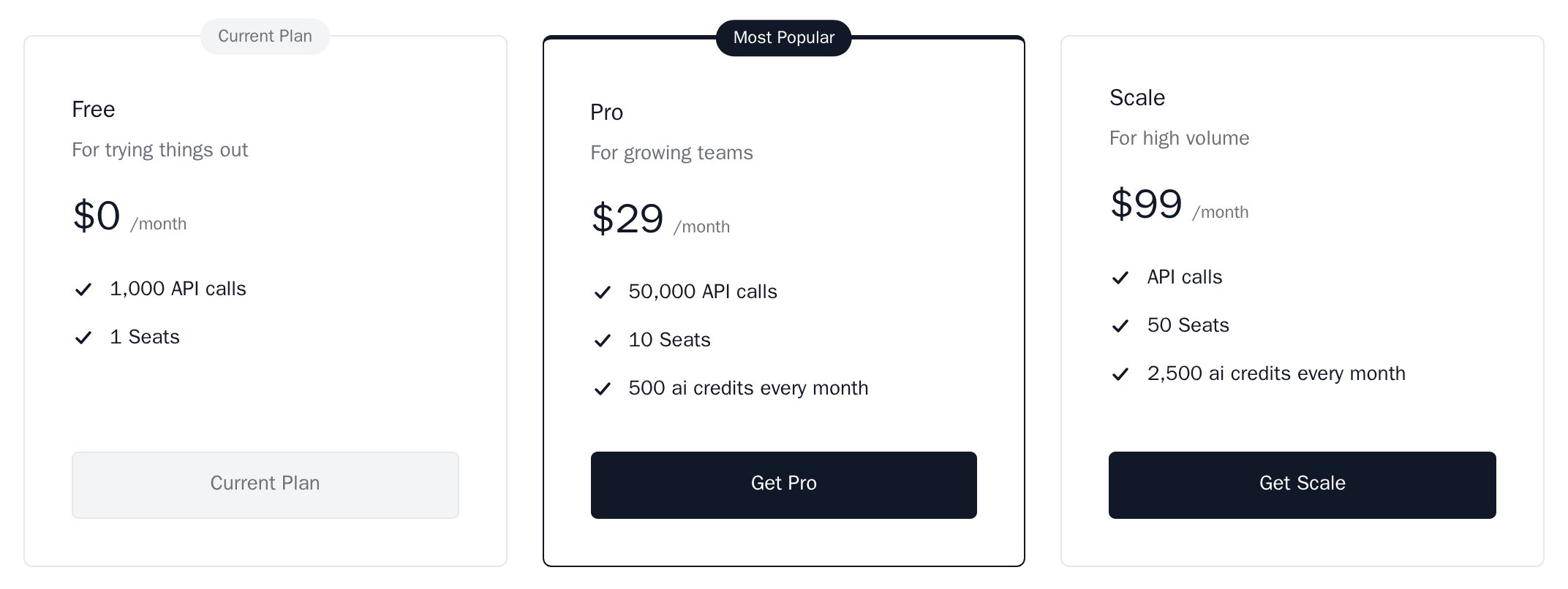
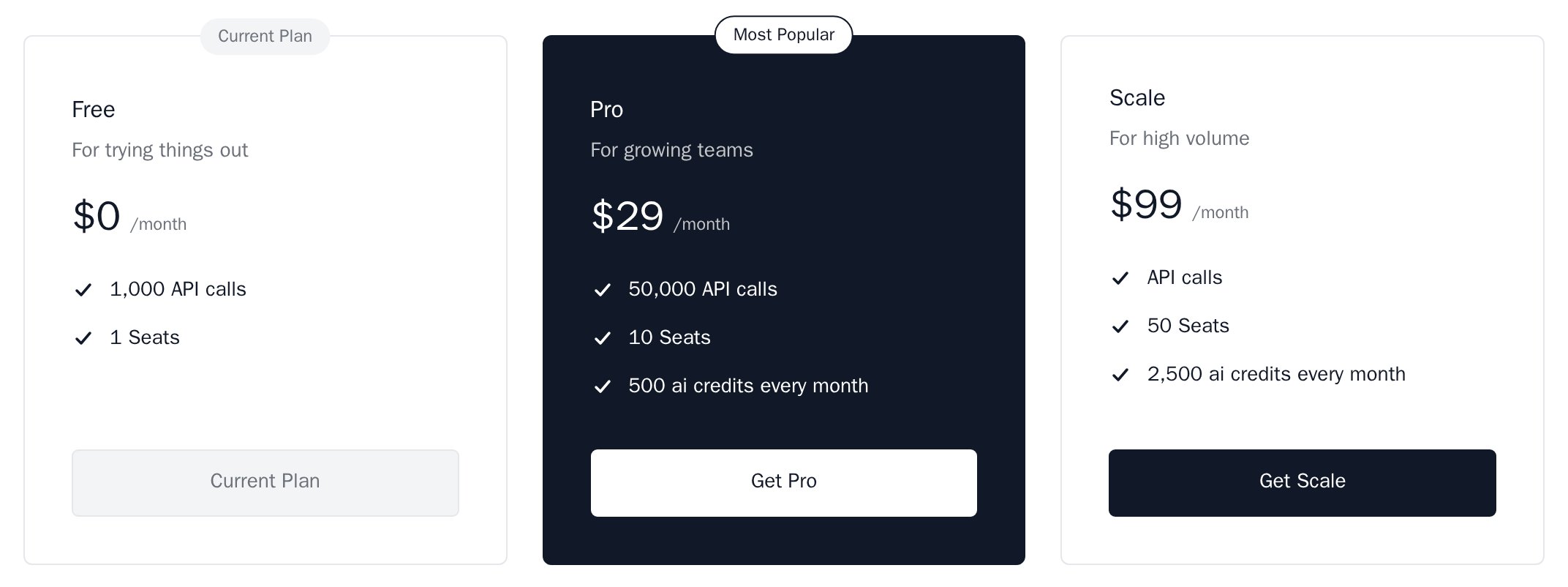
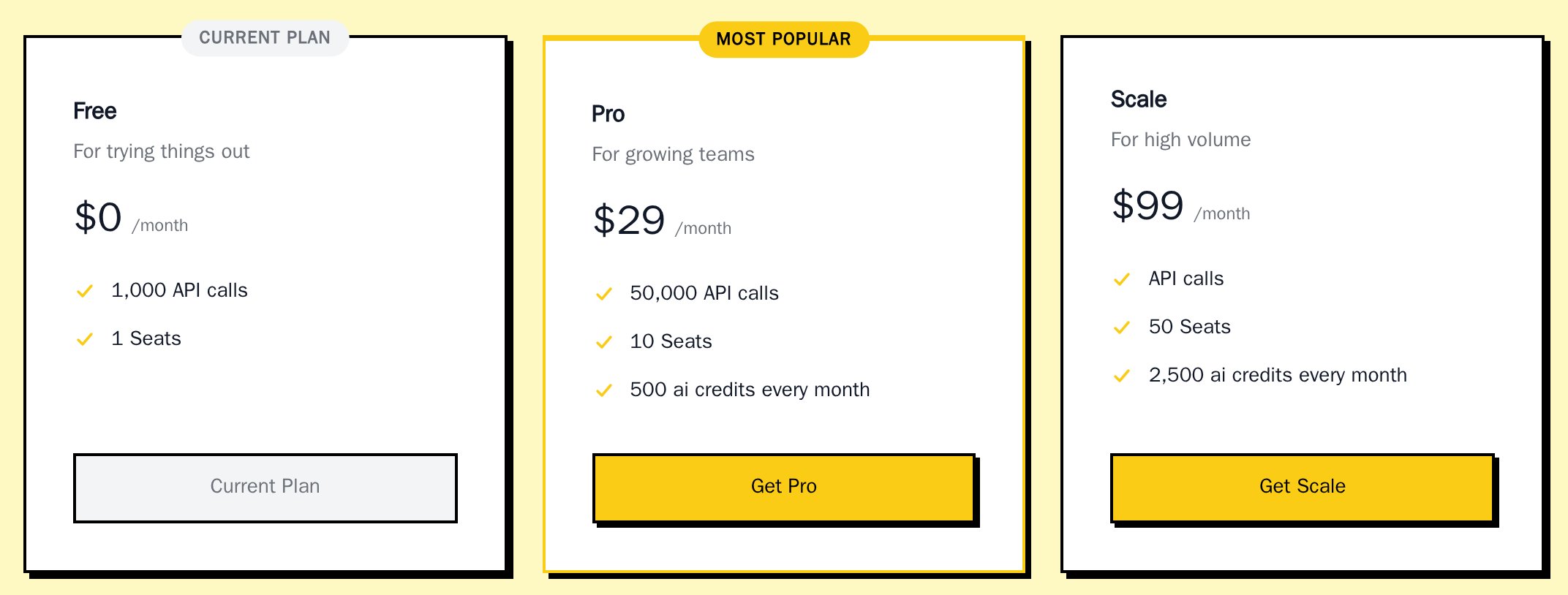
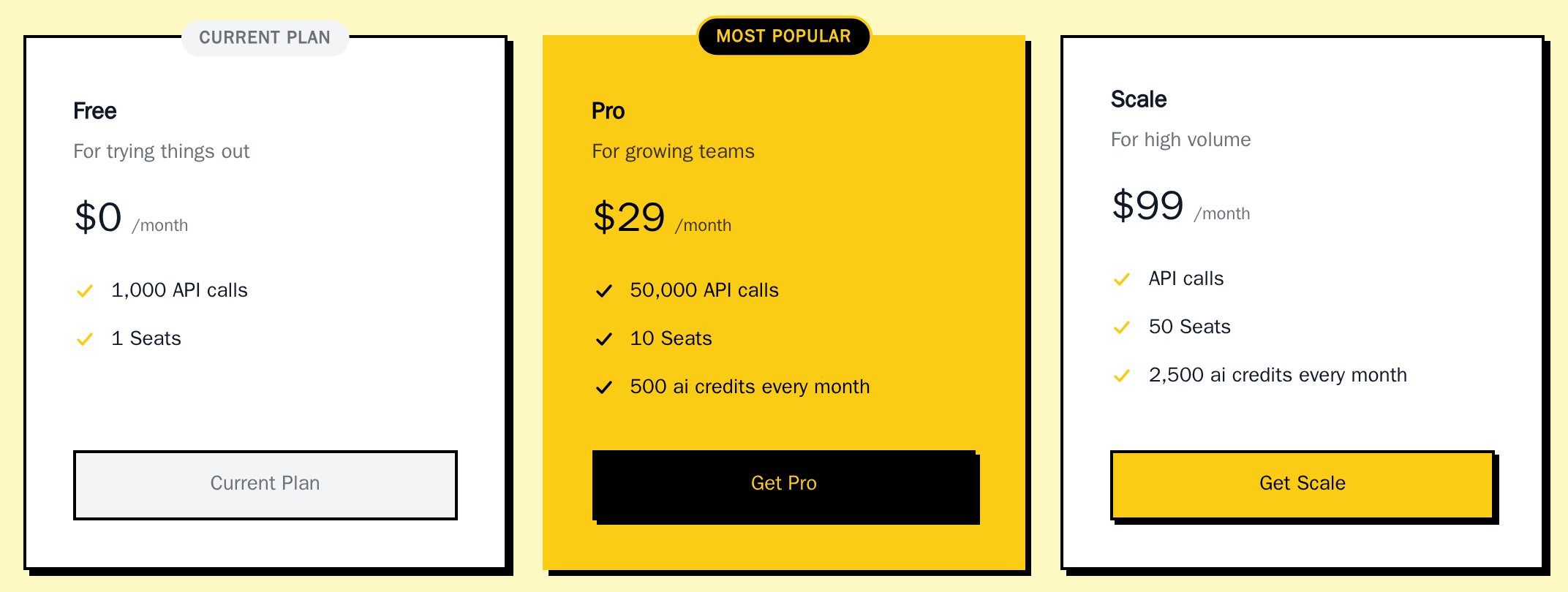
filled, the card takes the highlight colour, and its text and button switch to the highlight text colour.
highlightStyle prop wins over the saved one.
Set the colours with colorHighlight and colorHighlightForeground; they default to the primary colours. Change the badge text with highlightLabel, or pass highlightLabel={null} for no badge.
Plan card layout
A theme’splanCardLayout picks how PricingTable and PlanCard lay out each plan:
card(default): name, description, price and ticked features. See Plan buttons for which plan gets which button.panel: the name in a header band, withACTIVEon the right for the current plan and the highlight label for the highlighted plan, then price, description and plain feature lines.nozleandnozleDarkuse it.
Plan buttons
Requires@nozle-js/react 0.13.0. Which button a plan gets depends on the customer’s plan:
- No current plan known: every paid plan gets the primary button. In the
nozle,nozleDarkandneobrutalthemes it has the hard shadow of the theme’s button shadow;light,darkandminimalhave none. The highlighted plan keeps its highlight colours. - With
currentPlanCode: plans above it get the primary button. The current plan uses the primary colour with no shadow (in the panel layout it also shows theACTIVElabel in the header). Plans at or below it get a plain button. - Contact-sales plans stay outlined.
Combine themes
minimal and neobrutal set shape; light and dark set colour. nozle and nozleDark set both, so use them on their own. Pass several themes in an array. Later ones win where they overlap.
One component
A component’s ownappearance goes on top of the provider’s:
variables, the component’s theme, the provider’s variables, the provider’s theme, the saved appearance, --nozle-* CSS variables set by your app, then the light values.
Text
All text in the components uses one of eight roles. Each role is a CSSfont shorthand (weight, size, line height and family) plus a colour. Change a role and every element in it changes, in every component. Every component sets the body role on its root, so no text takes its size, font or colour from your page.
The defaults are in
fontFamily; the metric default is in fontFamilyNumbers when it is set. neobrutal sets title and heading to weight 800. The other themes keep the defaults. labelTextTransform and labelLetterSpacing apply with the label role.
colorForeground: when colorMutedForeground is not set, it is colorForeground mixed 62% into colorCard, so a new text colour also recolours descriptions, dates, labels and table headers. Set colorMutedForeground to choose it yourself. Error, warning and success text is the status colour mixed with colorForeground, so it stays readable on its tinted background.
Variables
buttonBorderColor and buttonShadow apply to primary buttons only, so one action per view stands out. Secondary buttons take colorSecondary as their fill and colorInput as their border.
The font* and label* variables are the text roles described in Text. Numbers in tables are right-aligned in tabular figures, in fontFamilyNumbers.
In code, any CSS value works, including var(...) and oklch(...). The saved appearance takes hex colours and simple lengths only, and none of the font, shadow or colorScheme variables. Warning and error tints are mixed from colorWarning and colorDanger.
You can also set the CSS variables yourself, for example on :root. A component without appearance reads them. The older --nozle-portal-* and --nozle-pricing-* names still work after the --nozle-* name.
Elements
elements changes one part of a component. A string adds a class name; an object adds inline styles. Every part also has a fixed class, nozle-<key>, for your own CSS.
elements cannot override a property they set. Use an object for those properties, or a variable.
Stripe checkout
Checkout passes the theme’s resolved colours, corner radius and font to Stripe’s Payment Element, and picks Stripe’s night theme on a dark card. Stripe’s embedded Checkout page (a cs_ client secret) uses the branding set in your Stripe dashboard instead.
Upgrading from 0.10
@tanstack/react-query5 or later is a required peer dependency. Install it withnpm install @tanstack/react-query.PlanCardtakes a catalogplanwithisCurrent,returnUrl,onSelectand an optionalfeatureslist, instead ofid,name,monthlyPrice,annualPrice,description,isAnnualandchildren. ThePlantype export is removed.PlanComparisontakes catalogplansand optionalfeaturesrows keyed by plancode, notid.- Components no longer read shadcn’s
--primaryand--borderon their own. To follow a shadcn/ui theme, pass its variables:variables: { colorPrimary: 'var(--primary)', colorPrimaryForeground: 'var(--primary-foreground)', colorCard: 'var(--card)', colorForeground: 'var(--foreground)', colorBorder: 'var(--border)', borderRadius: 'var(--radius)' }(Tailwind v3: wrap each inhsl()). - Without a theme, the default primary is now
#4f46e5everywhere; the portal’s green is gone. SetcolorPrimaryto keep your colour. - The
nozlePresetTailwind export is deprecated and does nothing for current components. PricingTableno longer treats a plan as “Custom” because its name contains “enterprise” or “custom”. List those plan codes incontactSalesPlans.