
PlanChangeControl lets a customer move one subscription to another plan: it loads the plans they may change to from your backend, shows the exact quote, applies the change, collects payment for an upgrade and recovers a payment after a reload.
When to use
- The subscription section of your billing settings page.
- Paid upgrades through
Checkout, and downgrades scheduled for renewal. - Letting the customer withdraw a scheduled change with “Keep current plan”.
BillingPortal renders this control for you when you pass planChangeActions.
- Light
- Dark
- Minimal
- Neobrutal
- Nozle
- Nozle Dark
Importing PlanChangeControl
Rendering PlanChangeControl
Pass the subscription andactions, the callbacks that call your authenticated backend (see Live data):
components/change-plan.tsx
What a change looks like
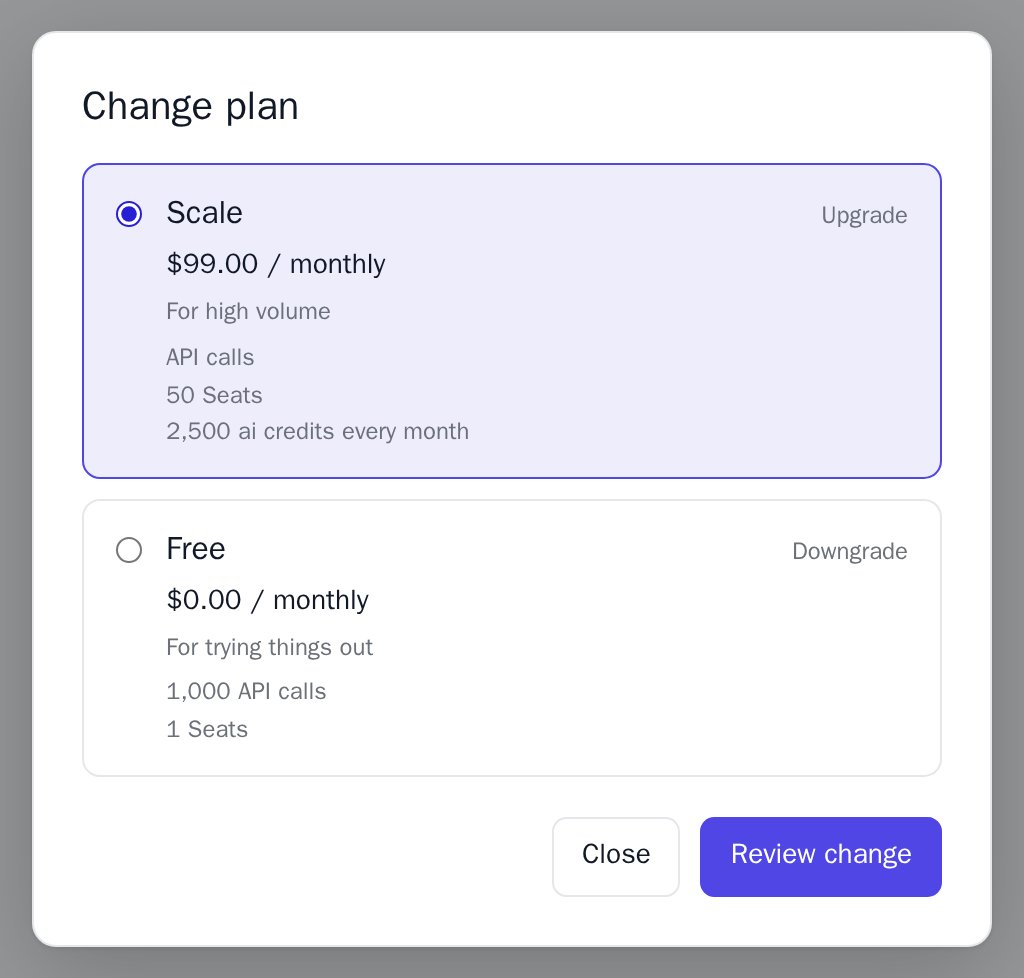
- “Change plan” opens the plan list: name, price, interval, and whether each choice is an upgrade or a downgrade.
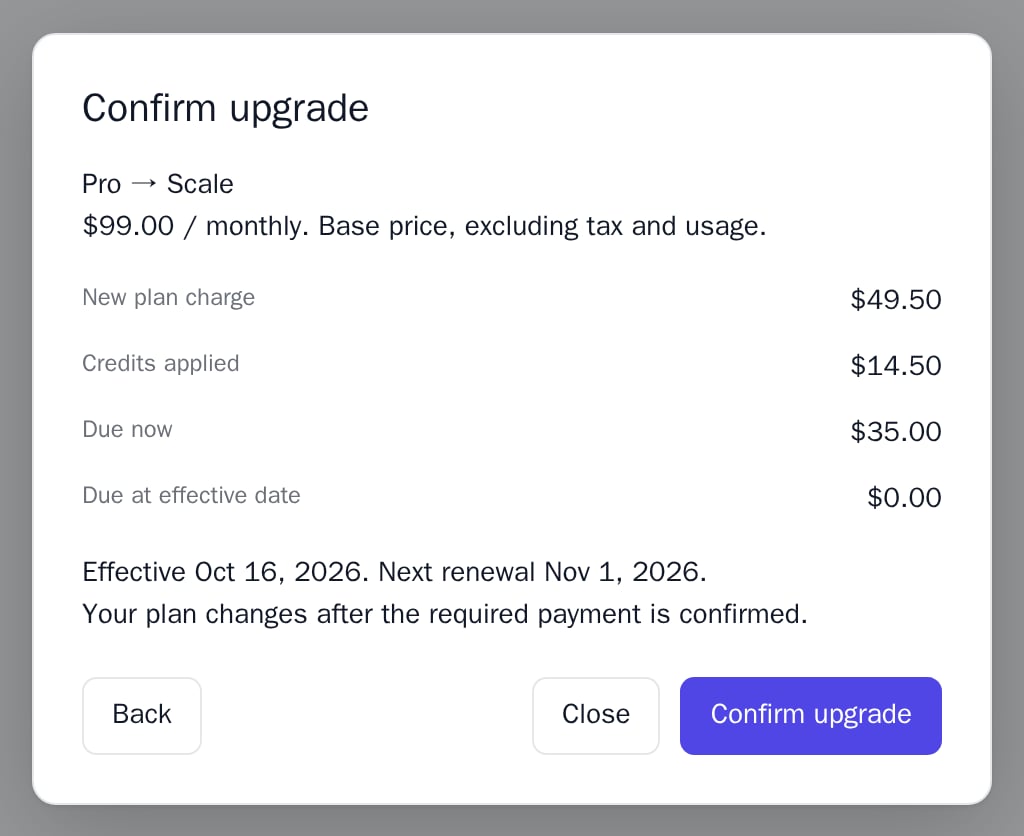
- “Review change” calls
previewand shows the review step with the quote in minor units: new plan charge, credits applied, due now, due at the effective date, the effective and renewal dates, and a Back button. - “Confirm upgrade” or “Confirm downgrade” calls
apply. A paid upgrade opensCheckout; a downgrade is scheduled for renewal.
Data
load and status return a PlanChangeState:
Live data
actions calls your authenticated backend. Each callback receives the external subscriptionId and an AbortSignal; never send the signal in the request body. Create the object once, outside the component:
lib/plan-change-actions.ts
Data from the API
Examples
Plan list
“Change plan” opens a dialog with one choice per eligible plan, marked Upgrade or Downgrade. Inside aBillingProvider, each choice also shows the plan’s description and lines from the public catalog.
Review step
After “Review change”, the dialog shows the quote thatpreview returns. An end-of-period change says the current plan and access continue until the effective date; an immediate change with nothing due says “No payment is due now for this change.”; otherwise the plan changes after the payment is confirmed.
Scheduled change
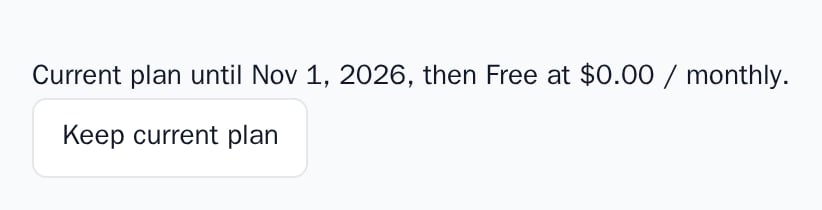
Whenload or status returns a pendingChange, the control shows “Current plan until <date>, then <plan> at <price> / <interval>.” and a “Keep current plan” button that withdraws the change.
API reference
string
required
The external subscription ID. A new ID resets the control.
PlanChangeActions
required
Your backend callbacks. Each one receives
subscriptionId and an AbortSignal besides the fields below. Keep the object stable across renders; a new object reloads the control.() => void
Fires after a change took effect, was scheduled or was withdrawn, and when a re-read finds the plan or the scheduled change changed. Refresh the rest of your page here.
(error: BillingPortalError) => void
Fires when a request fails and receives a
BillingPortalError with code unauthorized, request or changed.string
Change it when something else updated this subscription; the control re-reads its state with
status.string
Sent to
apply, where the payment provider returns the customer. Defaults to the current page without its query.string
default:"en-US"
Formats amounts and dates. The text is English.
string
default:"UTC"
Time zone of the dates: an IANA name, or a Nozle
TZ_ name.string
CSP nonce for the control’s
<style> elements.Appearance
Theme, variables and element overrides on top of the provider’s. See Appearance.
States
Appearance
Element keys
Element keys
planChangeControl (root, also class nozle-plan-change). The plan list and the review step use the UpgradeModal elements upgradeModal, upgradeModal__dialog and upgradeModal__actions.Style them with appearance.elements. See Elements.Related
CancellationControl
Cancel at period end, or keep the subscription.
BillingPortal
The whole customer portal, with this control inside.
Billing portal and self-service
Backend adapters and runnable examples.
UpgradeButton
A single upgrade with your own preview.